
Overview
Page vs. Blog
Pages are static pages that are standalone content used to create a webpage. A blog is web content organized as a collection. Blog collections dynamically feed to different website sections.
Use a blog for the Run Culture content.
- Film
- Journal
- Explorer
- Trending
For all others, use a page.
Template Page
A template page has a predefined layout, and you manage content in the Shopify theme.
Templated Pages
- Home
- Password
- Product Pages
- Collection Pages
- Collection List
- Blogs
- Blog Post
- Cart
- Checkout
- Gift Card
- 404 Error
Home page
The homepage is a theme page. To modify the home page, follow these steps:
Navigate to the theme
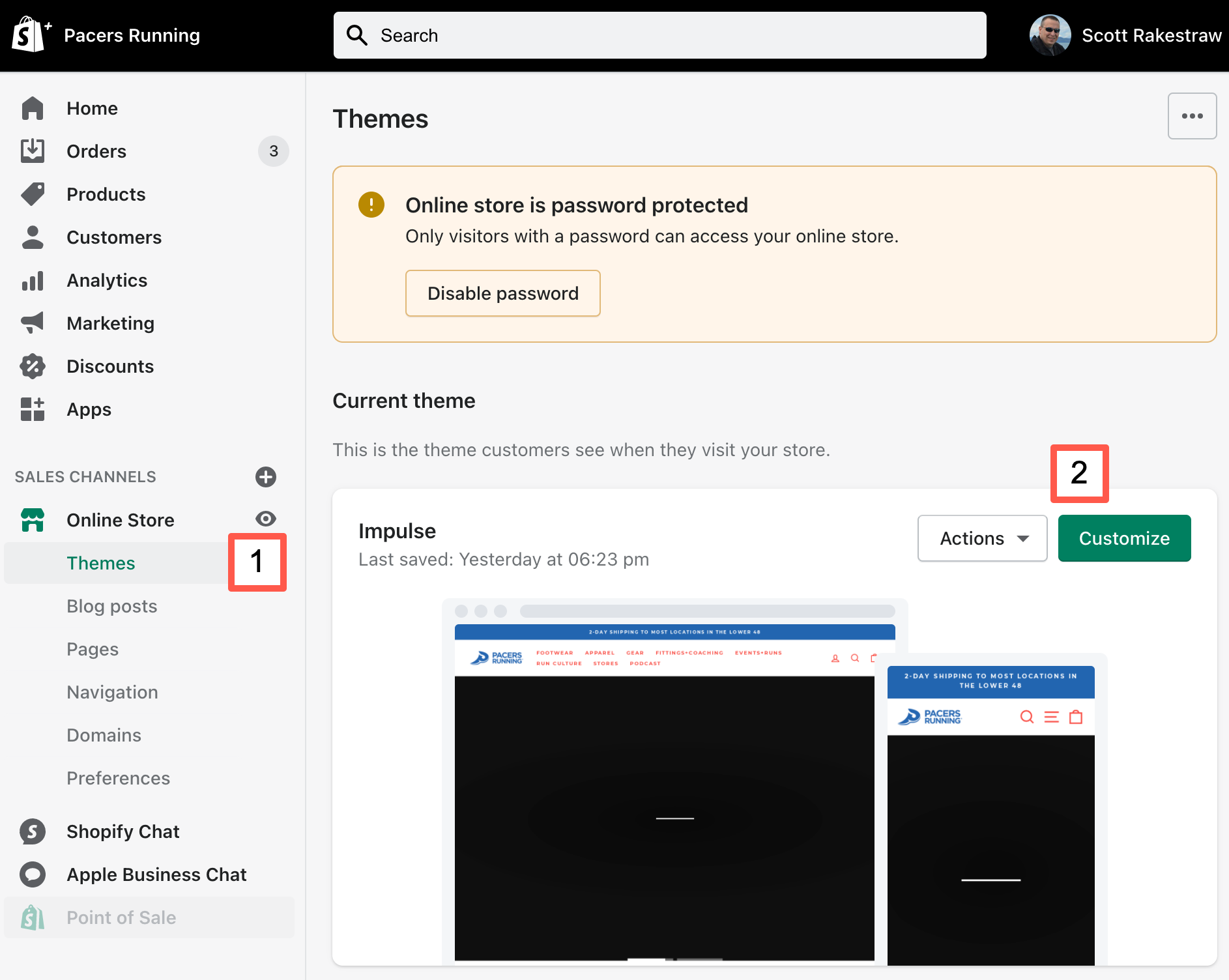
1. Click Sales Channels > Themes.
2. For the Current Theme, click customize.
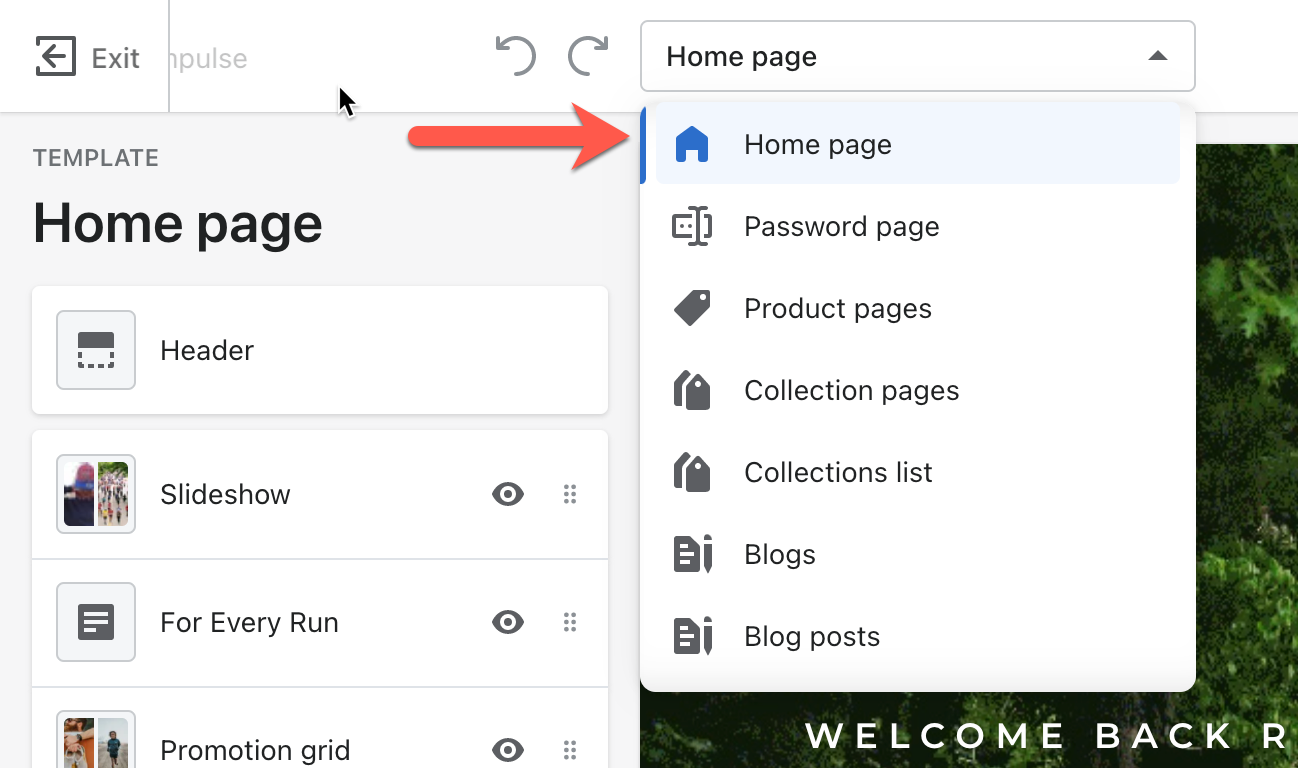
3. Confirm Home page is selected
Sections
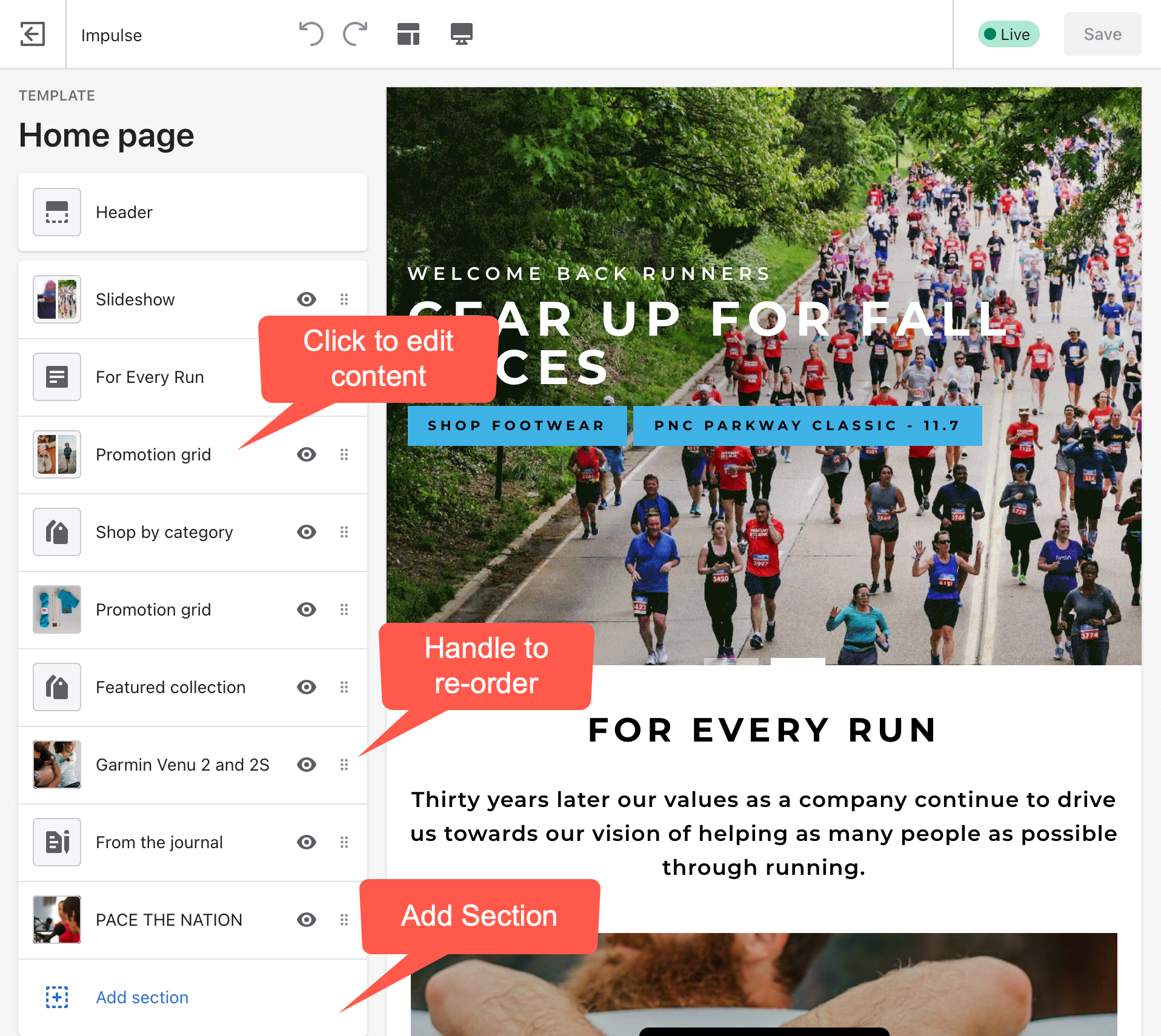
The homepage has sections. You can modify, re-order, or create a new section.
Save Your Work
After you finished with the content of a section, don't forget to save your work. The Save button is in the top right corner. Solid green indicates unsaved work.

For more detailed documentation, review the theme's support center.
Store Pages
Store pages will be a theme page. More to come...
Blog / Page
Use the blog for Run Culture content
- Film
- Journal
- Explorer
- Trending
Pacers has a blog for each Run Culture Section listed above. This helps structure content within the site.
For all other content, use a page.
Access Pages or Blogs
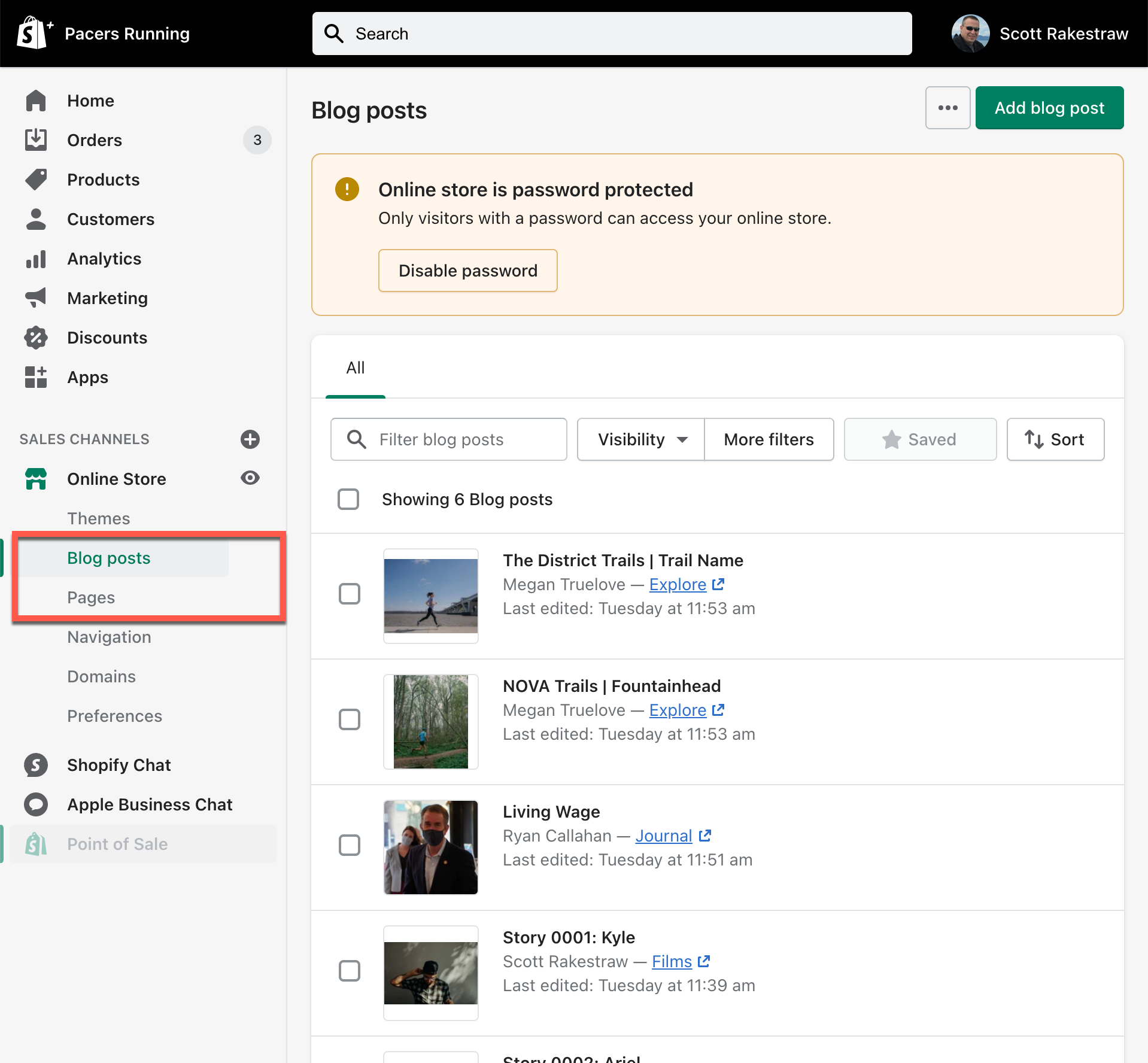
1. Click Sales Channels > Blog Post or Page
Blog Post / Page Content
To add or edit a page/blog post, you can use the basic Shopify Editor or for a drag-n-drop page builder, you can use Shogun.
To use the Shogun page builder, you need to be in edit mode. Either create a new page/blog post or edit an existing page/blog post.
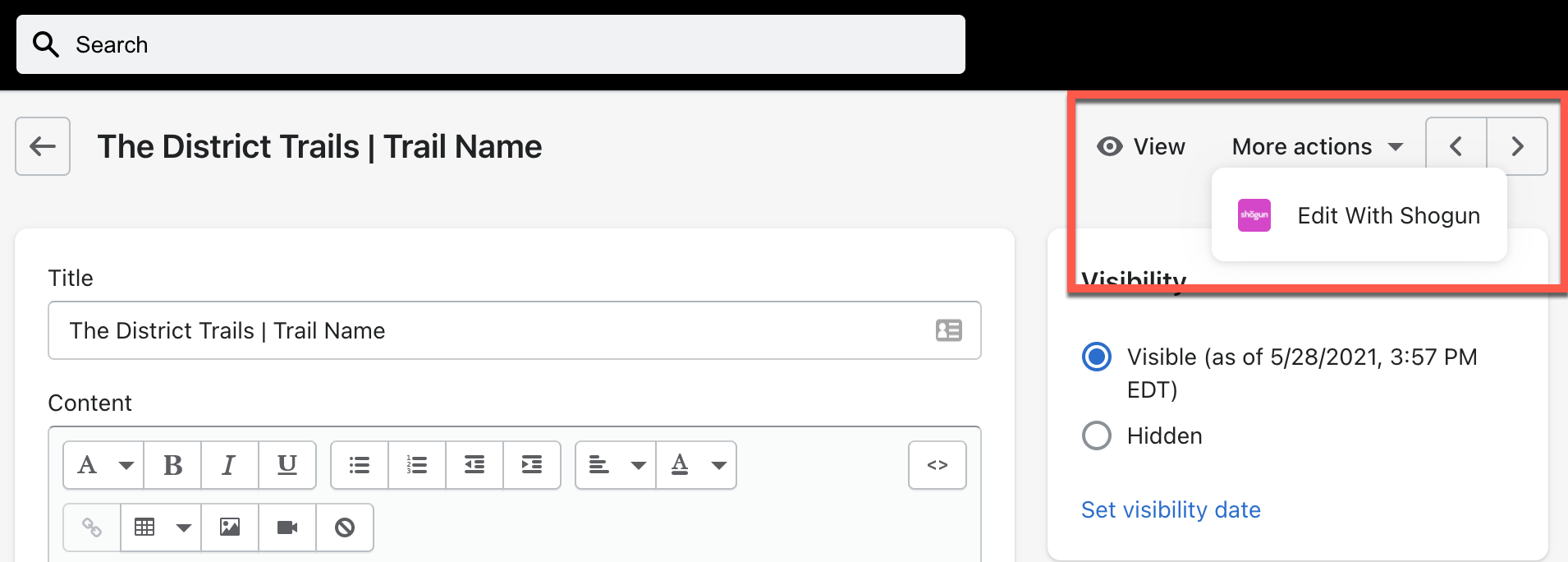
Shogun Page Builder
For instructions on Shogun, review the Shogun Page Builder Support Center.
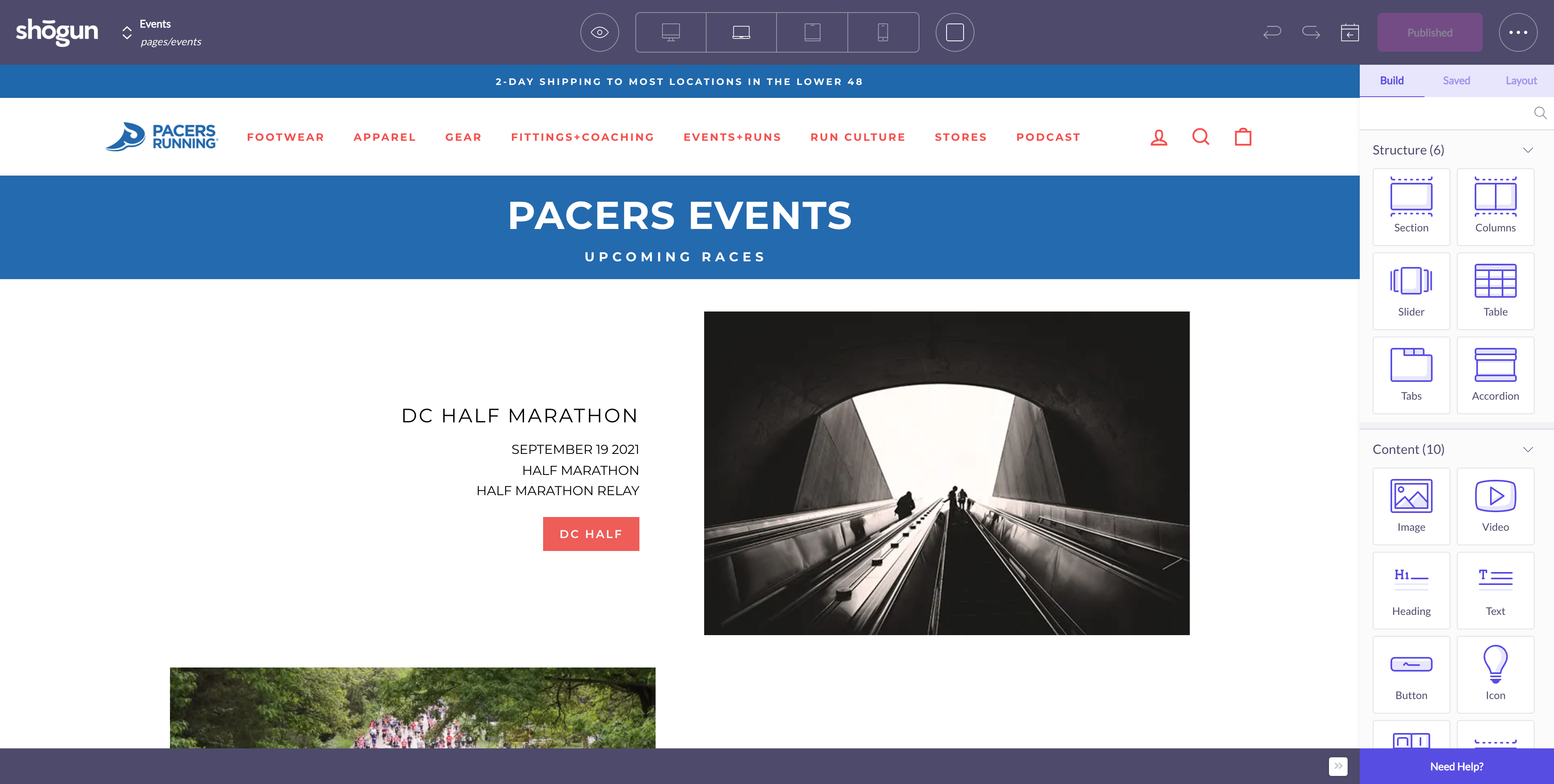
OPTIMIZATION NOTE:
Page performance matters. As you add images, go with the smallest size possible. Also, the image name can help with SEO. See 10 Must Know Image Optimization Tips.
Don't forget to save and publish
Navigation
See Shopify Understanding Navigation
Footer Promotions
Footer promotions are managed in the theme. There can only be 3 promotional items.
Navigate to the theme
1. Click Sales Channels > Themes.
2. For the Current Theme, click customize.
3. Click Footer Promotions
Add, Edit, or Re-order Content
Image Size: Wide (16:9)
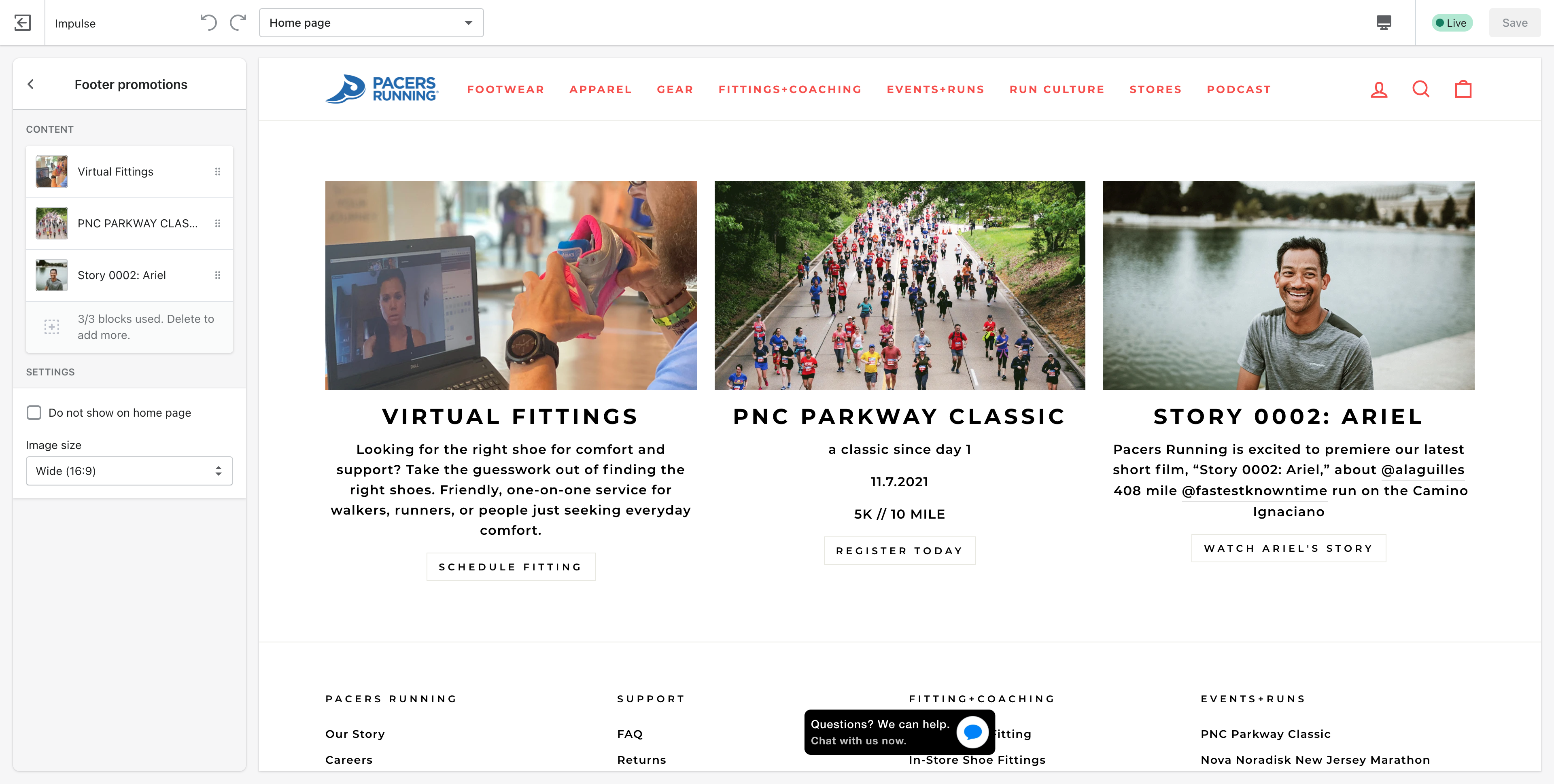
Footer
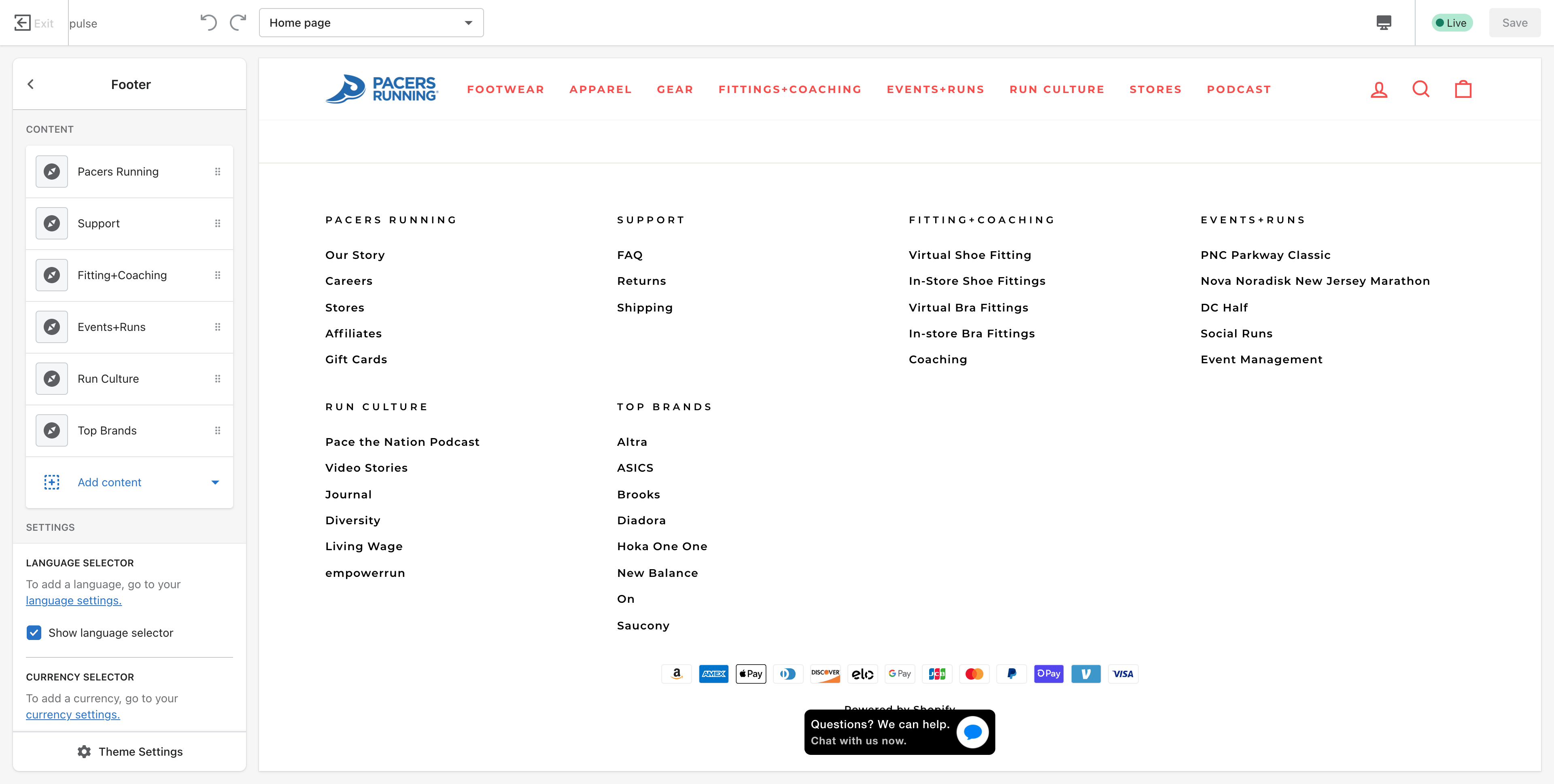
Footer Navigation is managed in theme and uses menus to populate sections.
Navigate to the theme
1. Click Sales Channels > Themes.
2. For the Current Theme, click customize.
3. Click Footer
Add, Edit, or Re-order Content
Pace the Nation
Pace the nation will be static content with a feed to the podcast.
FAQ
Troubleshooting
Additional Support Resources
Shogun Page Builder Support Center
Comments
0 comments
Please sign in to leave a comment.